Gravepowder Browser Saves, Switch Server & Loading Fix Guide
Protect your local Gravepowder browser campaign save, fix loading stalls with one-click Switch Server mirrors, and resolve WebGL, keyboard focus, and cookie-blocking errors.
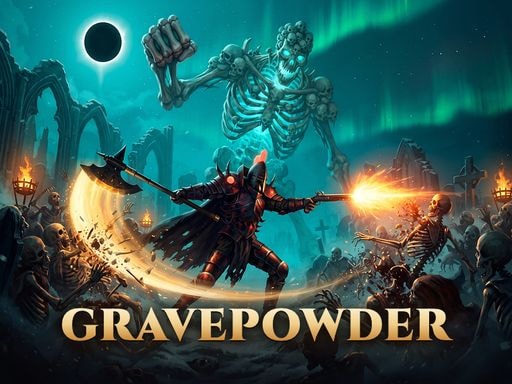
How Gravepowder Saves Your Solo Campaign Progress
One of the best conveniences in Gravepowder is zero friction: you do not have to sign up, verify an email, or install a desktop client to start crossing the frozen parish. Instead, your Solo Campaign journey—cleared acts, kindled salt pyres, equipped armor, and Vault progress—is saved locally inside your web browser.
Because local browser storage behaves differently from cloud-account saves, knowing three simple rules protects hours of campaign progress—and running the Browser Readiness Checker above confirms immediately whether your browser allows persistent storage.
Four Rules to Never Lose Your Gravepowder Save
- Always use a standard browser profile, never Incognito / Private mode: Private windows discard
localStorageand IndexedDB the moment the last private tab closes. - Stick to the same browser & device: Local browser saves live on your current browser profile (for example, desktop Chrome on your laptop). Opening Gravepowder in Firefox or on your phone starts a fresh campaign save.
- Avoid "Clear site data on exit" settings: Privacy tools or browser policies that automatically wipe cookies and site data on shutdown also wipe local HTML5 game saves.
- Stay on the same game server mirror once you start a campaign: Browser storage is scoped per origin (
html5.gamemonetize.gamesvs.html5.gamemonetize.co). If you build a deep Solo Campaign save on the primary server, keep playing on that server whenever available.
Fixing Every Common Gravepowder Loading or Input Issue
When a 3D HTML5 browser game refuses to load or behaves strangely, the cause almost always falls into one of five buckets:
| Symptom | Most Likely Cause | Verified 30-Second Fix |
|---|---|---|
| Black screen or stuck spinner after clicking Play | Network/school filter blocking the primary .games host |
Click Switch Server right below the game frame on Gravepowder.com to switch cleanly to the backup .co mirror |
| Very low FPS or choppy gold-ring parry flashes | Browser Hardware Acceleration disabled | Enable Hardware Acceleration in Chrome/Edge/Firefox settings, restart the browser, and close heavy background tabs |
Keyboard keys (W A S D, Space) scroll the page instead of moving your Warden |
Game iframe does not have focus | Click once directly inside the 3D game canvas and activate Fullscreen |
| Touch controls feel cramped or cut off on phone | Phone held vertically (portrait) | Rotate sideways into landscape orientation and tap Fullscreen |
| Campaign restarted from Act 1 unexpectedly | Private window, cleared site data, or switched browser/mirror | Return to the original non-private browser profile and primary server mirror |
Why Gravepowder.com Includes a Dual-Server Switcher
Many web portals hardcode a single external embed link—meaning the moment a regional ISP, campus Wi-Fi rule, or temporary CDN hiccup blocks that domain, players stare at an endless gray box. On Gravepowder.com, we monitor embed availability continuously and place a Switch Server button right alongside Fullscreen so you can toggle between the verified .games primary host and the .co backup mirror in one click without refreshing the page or losing our controls guide.
Browser Privacy Settings & Embedded Frame Storage
Modern browsers sometimes enforce strict third-party storage partitioning. If the Readiness Checker above flags storage as blocked—or if your Solo Campaign does not remember your last kindled salt pyre (H) after refreshing:
- Check your browser's site permissions icon in the address bar and allow cookies/site data for
gravepowder.comand the game host. - Pause aggressive script-blocking extensions on
gravepowder.comwhile playing. - If a problem persists across both server mirrors, report your browser name, OS, and any error message on our Contact page so we can investigate promptly.
Once your browser passes 4/4 checks above, head back to the Gravepowder home page or drill your parry timing in our Gold-Ring Parry & Grave Rite Guide.
Frequently Asked Questions
Where is my Gravepowder campaign progress saved?
Your Gravepowder Solo Campaign saves locally inside your web browser storage. Avoid Incognito/Private mode and clearing site data if you want to resume the same save later.
How do I fix Gravepowder not loading or showing a black screen?
Click the Switch Server button right underneath the game player on gravepowder.com to swap between the primary .games host and backup .co mirror, and verify WebGL Hardware Acceleration is enabled.
Why does pressing Space scroll the page instead of rolling in Gravepowder?
Click directly inside the game canvas after loading and tap Fullscreen so keyboard inputs (WASD, Space, E, Q) stay locked inside the game instead of scrolling the webpage.